NuStarPH GCash & Maya Guide: How to Deposit and Withdraw Pesos Safely
Step-by-step cash-in and cash-out with GCash, Maya and bank transfer, plus tips to get paid faster.
AI-assisted content: drafted with AI tools, then reviewed and fact-checked by George Mann. Last reviewed . Offers and rules can change, so always confirm on the official site.
For Filipino players, fast peso payments are what make an online casino feel local. NuStarPH is built around mobile wallets, so understanding how cash-in and cash-out work will save you time and stress. This guide covers GCash, Maya and bank transfer, along with the verification habits that get withdrawals approved quickly.
Supported payment methods
| Method | Best for | Typical deposit speed | Notes |
|---|---|---|---|
| GCash | Most players; everyday cash-ins | Usually instant | Name must match your NuStarPH account |
| Maya | Maya wallet / card users | Usually instant | Verified (upgraded) wallet recommended |
| Bank transfer / InstaPay | Larger amounts | Minutes to hours | Check cut-off times and bank fees |
Available methods, minimums and limits can change, so always confirm the current options inside the NuStarPH cashier before sending money.
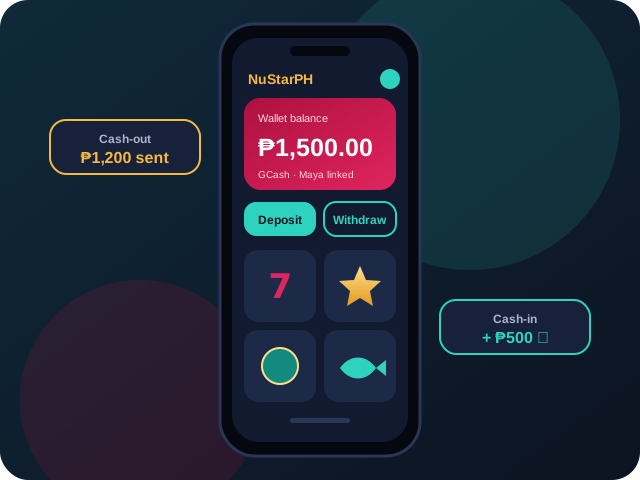
How to deposit with GCash
- Log in (see our login guide) and open Deposit or Cashier.
- Select GCash and enter the amount in pesos.
- You will be redirected to GCash, or shown a QR code to scan in the app.
- Approve the payment with your MPIN and the OTP.
- Return to NuStarPH and confirm your balance updated. Screenshot the reference number.
Only use the official app from GCash. Never send money to a personal GCash number that someone gives you in a chat, since legitimate cashiers do not work that way.
How to deposit with Maya
The Maya flow is almost identical: choose Maya in the cashier, approve the payment in the app, and wait for the confirmation. Upgrading your wallet on the Maya app raises your limits and avoids failed transactions on larger amounts.
How to withdraw your winnings
- Complete KYC first (covered in our registration guide).
- Check that any bonus wagering is finished. Active bonuses often block withdrawals; see the bonus terms guide.
- Open Withdraw, pick the same method you deposited with where possible, and enter the amount.
- Confirm with your withdrawal password or OTP.
- Track the status in your transaction history.
Why a withdrawal can be delayed
- Name mismatch between your account and your e-wallet.
- Incomplete KYC or a blurry ID upload.
- Unfinished wagering on a claimed promotion.
- Bank or wallet maintenance, often announced by the providers themselves.
- Security checks on unusually large or frequent transactions.
E-wallets and banks in the Philippines are supervised by the Bangko Sentral ng Pilipinas (BSP). If you ever have a dispute with your wallet provider itself, the BSP’s consumer assistance channels are the right escalation path.
Keeping your gaming money organized
A simple habit many players use is a separate “play wallet.” Move only your weekly entertainment budget into it, and never top it up from bill or tuition money. Pair it with the limits on our responsible gaming page. Wanting to spend more than planned, especially during petsa de peligro, is a sign to pause.
Next steps
With payments sorted, choose your game: explore scatter slots, sit at a live baccarat table, or read the FAQ for quick answers about limits and fees.
Try NuStarPH today
Put what you learned into practice. Register, set a budget and enjoy the games. 21+ only; please play responsibly.
About the author: George Mann
George writes practical, honest NuStarPH guides for Filipino players, covering slots, live tables, e-wallet payments and safer play. Contact: georgemann@nustarph.live · Editorial policy